nginx and Apache access logs: format, location, export
The combined format field by field, where nginx and Apache write access.log, how to pull a specific period out, and what daily rotation quietly throws away.
The NessFlow team (Product engineering, NessFlow) · · 2 min read
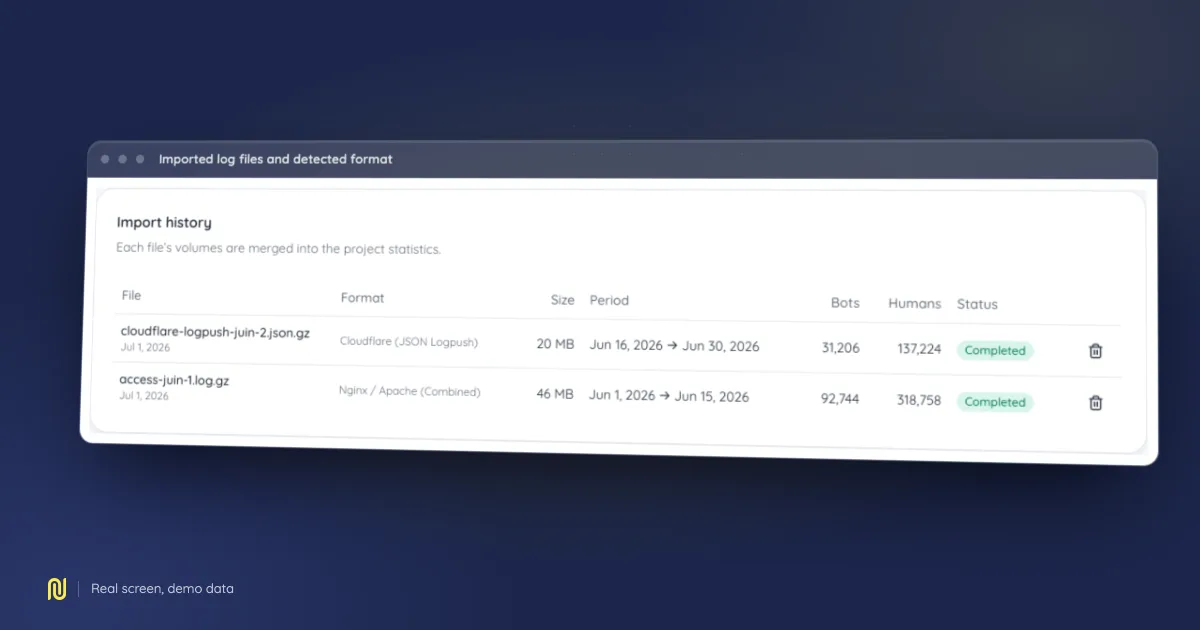
A real product screen, rendered on a fictional demo dataset: the figures shown belong to no client.
You run the server, so access is not the hard part. Leaving with the right file, in the right format, covering the right period is.
Where the files live
A stock nginx install writes accesses to /var/log/nginx/access.log. On Apache it is /var/log/apache2/access.log on Debian-family distributions, and /var/log/httpd/access_log on Red Hat-family ones.
If the machine serves several sites, each virtual host usually gets its own file. Check the access_log directive in your nginx configuration, or CustomLog on Apache, to find the one matching the domain you are auditing. Picking the wrong file raises no error at all; it just produces an analysis of somebody else's site.
Confirm the format first
The default format on both servers is called combined. A line looks like this, with the address first, the request in the middle, and the user agent last, in quotes.
203.0.113.10 - - [12/Jul/2026:04:11:02 +0000] "GET /product/ HTTP/1.1" 200 8214 "https://example.com/" "Mozilla/5.0 (compatible; Googlebot/2.1)"
That last field is the one to check. It carries the user agent, so it is the only thing that separates a crawler from a person. The older common format stops at the byte count and omits it: with it, half the value of log analysis disappears, because every hit is counted as human. If your lines stop after the status code and the size, change the log_format directive before you start collecting the period you care about.
Pulling out a period
Rotation compresses yesterday into access.log.1, access.log.2.gz, and so on. A full month therefore lives in thirty-odd files.
Concatenate them oldest first, then compress the result.
zcat -f /var/log/nginx/access.log.*.gz /var/log/nginx/access.log.1 /var/log/nginx/access.log | gzip > logs-july.log.gz
Order does not matter to the analysis, which reads each line's timestamp, but it helps enormously when you open the file to see what you actually got.
What rotation takes with it
The stock logrotate configuration often keeps two weeks. If you want to compare two months, check the rotate value in /etc/logrotate.d/nginx before discovering that the period you asked for was deleted. Raising it costs disk space only, and compressed logs take very little.
Next
The compressed file uploads as is, no need to expand it. The analysis derives crawler traffic, the depth actually reached, and which requested pages answered with an error.
For what can be concluded from that, and where the exercise stops, see our guide to server log analysis, and the log analysis module page.